

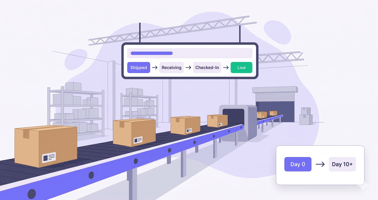
What Is the Amazon FBA Process? The Amazon FBA process is a structured inbound-to-fulfillment...

In this article
Avoid costly Amazon FBA shipping mistakes by planning inbound timing, labeling, and placement fees before units leave your 3PL. Solid FBA shipping discipline keeps Amazon logistics spend visible in landed cost—not buried in operating surprises.
Amazon FBA Shipping: Key Steps and Mistakes Sellers Should Avoid
Fulfillment by Amazon (FBA) is the backbone of millions of e-commerce businesses, but the logistics behind it are rarely simple. For growing brands, shipping products to Amazon FBA is not just about moving boxes from point A to point B—it is a financial and operational balancing act.
A single error in labeling, a misunderstood Hazmat regulation, or a discrepancy in your shipping plan can result in refused inventory, lost sales, and expensive storage fees. To scale effectively, you need to treat your shipping workflow as a core part of your profitability strategy, not an afterthought.
In this guide, we will break down the essential steps for shipping items to Amazon FBA, highlight the critical mistakes that cost sellers thousands, and show you how to automate the process for a leaner, more profitable operation.
What Is FBA Shipping and Why It Matters
At its core, FBA shipping is the process of getting your inventory into Amazon’s fulfillment network so they can handle storage, packing, and delivery to the end customer. However, Amazon has strict standards. If your inventory does not meet their requirements upon arrival, it creates a bottleneck that slows down your cash flow.
How the FBA shipping process works
The lifecycle of shipping products to FBA generally follows a specific sequence. First, you must determine your inventory needs based on sales velocity. Next, you create a shipping plan within Seller Central (or via an API-connected tool like NeonPanel).
Once the plan is finalized, you or your supplier must prep and label the goods according to Amazon’s strict specifications. Finally, you arrange freight—either directly from your manufacturer or through a 3PL—to get the goods to the assigned Fulfillment Centers (FCs). Understanding this flow is critical for anyone shipping fba to Amazon because delays at any stage prevent your products from becoming "Prime" eligible.
Why Proper Preparation Impacts Profitability When Shipping Items to Amazon FBA
Many sellers view shipping costs as a fixed expense, but inefficiency here bleeds profit. If you are shipping items to Amazon FBA without a clear strategy for carton configurations, palletizing, or carrier selection, you are likely overpaying.
Furthermore, preparation errors lead to "unfulfillable" inventory. When Amazon has to fix your labeling or repackage your items, they charge unplanned prep fees. Worse, if stock is rejected, you pay for return shipping and lose weeks of sales velocity. Proper preparation ensures that your "Landed Cost" remains stable, allowing for accurate profit margin calculations.
Core Steps for Shipping Products to Amazon FBA
Mastering the logistics of shipping products to Amazon FBA requires a standardized operating procedure (SOP). Whether you are a private label brand or a wholesaler, these steps are non-negotiable.
Creating an accurate FBA shipping plan
The shipping plan is your digital declaration to Amazon of what is coming. When creating an fba shipping plan, you must specify the "Ship From" address, the specific SKUs, and the exact quantities.
Amazon’s algorithms will determine where your inventory should go. Often, Amazon will split your shipment across multiple fulfillment centers to position products closer to customers. Attempting to bypass these splits without using Amazon’s Inventory Placement Service (which costs extra) is a violation of terms. Accuracy here is paramount; sending more or less than declared in your fba shipping plan will flag your account for performance issues.
Packaging and Labeling Requirements for Sending Items to Amazon FBA
When sending items to Amazon FBA, every unit must be scannable. Amazon uses the FNSKU (Fulfillment Network Stock Keeping Unit) to track your specific inventory. If you rely on manufacturer barcodes (UPC/EAN), you risk having your inventory commingled with other sellers, which can lead to counterfeit claims.
Additionally, shipping boxes must not exceed 50 lbs (unless containing a single overweight item) and must not exceed 25 inches on any side. Using the wrong box dimensions or failing to apply "Heavy Package" warnings are common ways sellers get their shipments rejected at the dock.
Workflow Basics: Shipping From Supplier to Amazon FBA
Shipping from supplier to Amazon FBA directly is a popular method for reducing handling costs, but it carries risk. Since you do not see the product before it arrives at Amazon, you are relying entirely on your supplier to label and pack correctly.
To mitigate this, many sellers use an inspection service in China or a prep center in the destination country. This ensures that when you are shipping to fba, the goods actually match the shipping plan. If you are shipping directly, ensure your supplier understands Amazon’s palletization requirements (ISPM-15 pallets, correct height limits) to avoid refusal.
Common Amazon FBA Mistakes to Avoid

Even experienced sellers make errors. However, Amazon FBA seller mistakes in logistics are among the most expensive because they involve physical goods that are difficult to move once stranded.
Errors in the shipping plan
One of the most common Amazon FBA mistakes is discrepancy in quantity. If you tell Amazon you are sending 500 units but your supplier ships 480, Amazon’s receiving team will flag the shipment. This delays the time until your units are available for sale. Always verify final carton counts with your manufacturer before finalizing the shipment in Seller Central.
Labeling and packaging issues
Labeling errors are a frequent culprit among Amazon FBA mistakes to avoid. If a barcode is smudged, placed around a corner, or covered by bubble wrap, the Amazon robot or associate cannot scan it. The unit is then set aside for manual processing, accruing fees. Another issue is placing the shipping label over the box seam, where it gets cut during opening, rendering it unreadable.
Shipping to the wrong fulfillment center
When shipping fba to Amazon, you cannot choose your destination warehouse freely. If Amazon assigns your shipment to CLT2 in Charlotte but your carrier delivers it to TEB9 in New Jersey, the shipment may be rejected entirely. This often happens when sellers duplicate old shipping labels for new shipments to save time—a critical error.
How to Optimize & Automate Your FBA Shipping
To scale past 7 or 8 figures, you cannot rely on manual data entry. You need systems that connect your inventory planning with your financial data.
Supplier coordination and quality control
Common beginner mistakes Amazon wholesale fba sellers make include assuming the supplier knows Amazon’s rules. They usually don’t. You must provide detailed PDF labels and box markings. Implementing a "pre-shipment inspection" clause in your purchase orders ensures that any labeling errors are fixed at the factory, not at Amazon’s expensive receiving dock.
Choosing reliable freight forwarders / 3PL partners
Common mistakes Amazon FBA wholesale beginners make also include choosing the cheapest freight forwarder. Cheap forwarders often miss delivery appointments or fail to clear customs smoothly. A reliable partner will understand "Delivered Duty Paid" (DDP) shipping, ensuring that Amazon is never asked to pay customs duties—which would result in an immediate rejection of your goods.
Automating routine tasks and managing timelines
Top sellers automate the flow of data. Tools like NeonPanel allow you to track shipping products to Amazon FBA alongside your financials. By automating the ingestion of inbound shipments, you can see exactly what is in transit and what the estimated landed costs are for those specific batches. This visibility prevents you from ordering too much stock or running out of best-sellers.
Compliance Essentials for FBA
Compliance is binary: you are either compliant, or your business is suspended.
FNSKU rules and prep requirements
Ensure every distinct product has a unique FNSKU. If you sell bundles, the bundle must be in a single package with a "Do Not Separate" sticker. Failing to do this is one of the Amazon FBA mistakes to avoid that leads to customers receiving only one part of a set.
Restricted products and hazmat considerations
Before shipping items to Amazon FBA, verify that your product is not Hazmat restricted. Items with batteries, liquids, or powders require Safety Data Sheets (SDS). Shipping these without prior approval can lead to the destruction of inventory and suspension of your shipping privileges.
Conclusion
Simplify your FBA workflow with automation
Success on Amazon is not just about sales velocity; it is about operational efficiency. By avoiding common Amazon FBA mistakes and standardizing your shipping plans, labeling, and freight relationships, you protect your margins. Remember that shipping to fba is a repeatable process—the more you automate it, the less room there is for human error.
Use NeonPanel to streamline shipping and reduce errors
Managing shipments via spreadsheets is a recipe for disaster. NeonPanel helps you unify your inventory and finance operations. With features like automated FBA and AWD shipment processing, you can see your inbound stock statuses in real-time.
More importantly, NeonPanel tracks the actual landed cost of every batch you ship. This means you aren’t just shipping products to Amazon FBA blindly; you know the exact profitability of every unit the moment it arrives.
Ready to stop guessing? Start your free trial of NeonPanel today and get full visibility into your FBA operations.
Further reading: Complete Amazon FBA Process Guide · What Is Amazon FBA · Automating FBA & AWD Inbounds
FAQ
How do I create an Amazon FBA shipping plan step by step?
To create a plan, log in to Seller Central, select the inventory you wish to send, and choose "Send/Replenish Inventory." You will need to confirm the "Ship From" address, verify the packing details (individual units or case-packed), and enter the box dimensions and weights. Amazon will then generate the destination fulfillment centers. You can also use tools like NeonPanel to view and manage these shipment details alongside your financial data.
What are the best packaging and labeling practices for shipping products to Amazon FBA?
Always use the FNSKU label rather than the manufacturer's barcode to avoid commingling. Place labels on a flat surface of the product packaging, never over a curve or corner. For the shipping boxes, ensure the FBA shipment ID label is clearly visible and not placed over the seam where the box is taped shut. Boxes should be sturdy, standard slotted cartons, not bagged or bundled together with tape.
How do I choose a reliable freight forwarder or 3PL for shipping to FBA?
Look for freight forwarders who specialize in Amazon FBA and understand DDP (Delivered Duty Paid) shipping terms. They should have a track record of booking delivery slots with Amazon’s CARP system. For 3PLs, ask about their SLA (Service Level Agreement) for prep times and their ability to integrate with your inventory software to provide real-time stock visibility.
What are the most common Amazon FBA shipment rejection reasons and how to fix them?
Shipments are most often rejected due to unpaid customs duties (ensure you ship DDP), incorrect pallet height (pallets must be standard 40x48 inches and under 72 inches high), or unsafe pallet loading (overhanging boxes). Another major reason is shipping to the wrong fulfillment center. Always ship exactly to the location listed in your finalized shipping plan.
How can I accurately calculate Amazon FBA shipping costs and fees?
Do not rely on averages. To calculate true costs, you must track the "Landed Cost" of every batch, which includes the manufacturing unit cost plus the freight, duties, and insurance allocated to that specific shipment. Platforms like NeonPanel automate this by allocating specific shipping invoices to specific batches, giving you a true Cost of Goods Sold (COGS) accuracy that simple spreadsheets cannot match.
.png?height=200&name=Accounting%20Matters%20(EBITDA).png)