
Integrate TikTok Shop to QuickBooks
Automate TikTok Shop accounting with QuickBooks Online. Easily track sales, fees, and payouts in one place and keep your books accurate.
14-Day Free Trial. No Card Required. Cancel Anytime


Trusted by teams who need accuracy









Why Choose NeonPanel Integration?
A TikTok Shop to QuickBooks integration must handle complex multi-country transactions, variable fees, and accurate settlement reporting. NeonPanel delivers:
- Detailed settlement summaries — Convert each payout into categorized entries showing sales, advertising costs, platform fees, shipping charges, refunds and adjustments—all organized for QuickBooks.
- Automatic posting & reconciliation — Entries are matched to your chart of accounts and reconciled with bank deposits for complete accuracy.
- Sales tax recording — Configure rules so sales taxes are recorded correctly by jurisdiction, keeping you tax-compliant.
- Automatic COGS calculation — NeonPanel calculates cost of goods sold for each payout, ensuring your profit margins stay accurate.
- Customizable postings — Allocate sales and fees by country, fulfillment method, or product category based on your exact chart of accounts structure.
- Unified financial insight — Accurate statements help you monitor profitability and make confident business decisions.
Why Automate Your QuickBooks to TikTok Shop Accounting?
TikTok Shop to QuickBooks integration removes manual data entry, reduces errors, and frees you to focus on growing your business. Connecting TikTok Shop with QuickBooks Online means seamless settlement tracking and accurate financial reporting.
- Save hours each month: No more copying payouts into spreadsheets—NeonPanel handles all the data entry automatically.
- Accurate financial records: Every transaction from your QuickBooks TikTok Shop integration reflects real-time settlements, fees, and taxes.
- Complete compliance: Sales taxes and COGS are recorded correctly across all jurisdictions and categories.
- Instant bank matching: Settlements match your deposits perfectly, making month-end reconciliation straightforward.
- Built for scaling: As your TikTok Shop grows, QuickBooks to TikTok Shop integration keeps pace—no additional setup required.


How it works
Connect Your Accounts
Link your TikTok Shop seller account and QuickBooks Online with secure authentication in minutes.
Configure Your Mapping
Define how sales, fees, taxes, and adjustments map to your chart of accounts—by country, category, or fulfillment method.
Automate & Sync
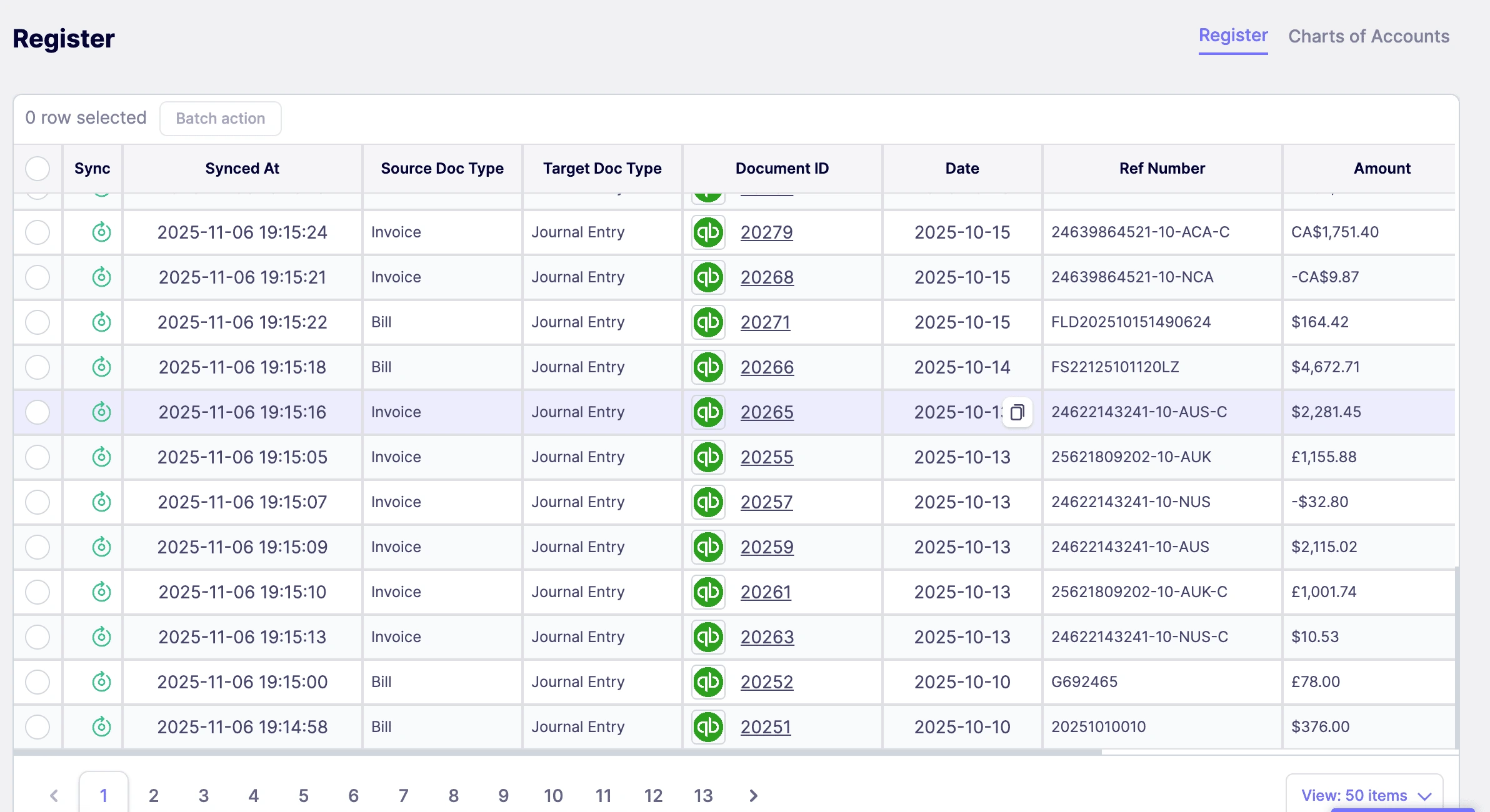
Every settlement syncs automatically, posts to QuickBooks, and reconciles with your bank deposits—no manual work.
Ready to Automate Your TikTok Shop Integration? Start with NeonPanel Today!
Stop wasting time on manual accounting. Stop guessing about your margins. With NeonPanel's tiktok shop quickbooks integration, your financial records stay accurate, your reconciliation is instant, and your team can focus on what matters—growing your business.
Try NeonPanel free today and see how much faster your TikTok Shop accounting can be.
Outcomes
- ✔ Faster month-end close.
- ✔ Accurate profit margins.
- ✔ Zero manual reconciliation.
Sync Everything
Catalogs
Including Products, Services, Customers, Vendors, and Currencies
Charts of Accounts
Use the default Chart of Accounts tailored for Amazon sellers or customize your own
Bills
Bills, purchase orders, and expenses synced in real-time
Invoices
Precise Cost of Goods Sold (COGS) calculated using the First-In, First-Out (FIFO) method
Flexible Pricing Plans
Choose the plan that fits your business needs
Essentials
Perfect for growing businesses
- ✓ One Amazon Seller Account
- ✓ Flexible Landed Cost Distribution
- ✓ Automated COGS Calculations
- ✓ QuickBooks & Xero Integration
- ✓ Unlimited Users & Roles
Professional
Advanced features for scaling teams
- ✓ All Essentials Features
- ✓ Multi-Warehouse Inventory
- ✓ Advanced Landed Cost & COGS
- ✓ Automated FBA & AWD Shipments
- ✓ Payments & Expense Management
- ✓ Custom Chart of Accounts
Frequently Asked Questions
NeonPanel automatically syncs your TikTok Shop sales data, fees, inventory, and financial transactions with QuickBooks. All calculations for COGS, landed costs, and profit margins are automated—no manual data entry required.
No. QuickBooks is a separate service that you'll need to subscribe to independently. NeonPanel integrates with your existing QuickBooks account to automate your bookkeeping and provide accurate financial data.
Yes! NeonPanel can import and sync your historical TikTok Shop transactions, ensuring your books are accurate and up-to-date from day one. You can specify the date range you want to import during setup.
NeonPanel syncs your TikTok Shop data automatically in real-time or near-real-time. Sales, fees, inventory movements, and other financial data are continuously updated to keep your accounting records current.
Absolutely! You can connect as many TikTok Shop accounts as you need to NeonPanel. All your accounts will sync to a single QuickBooks company, making it easy to manage multiple storefronts or marketplaces.
Yes! Our professional plans include complimentary onboarding calls with our team. We'll help you configure NeonPanel to match your business needs and ensure everything is set up correctly. We're also available to assist your accountant.