
QuickBooks Online Integration With NeonPanel
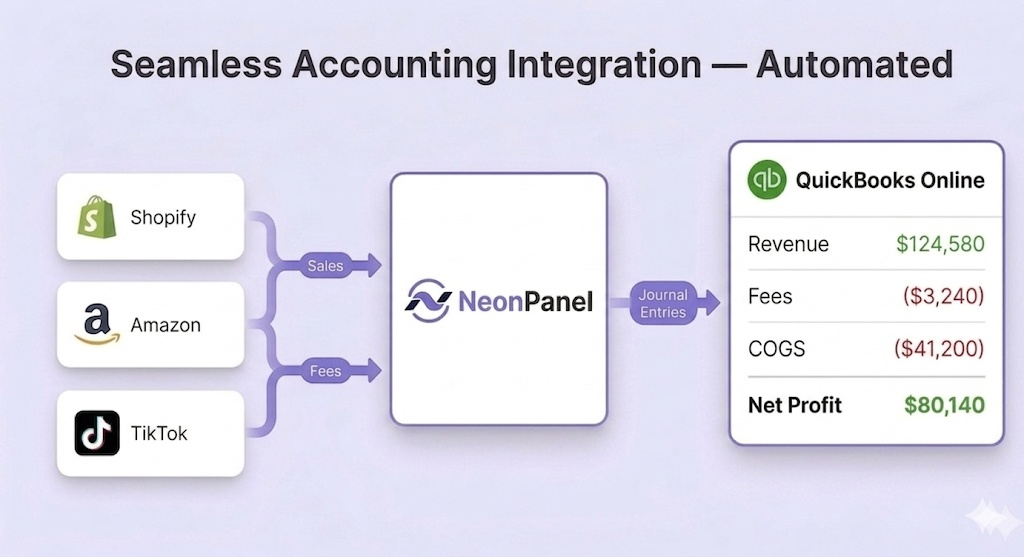
Amazon, Shopify, and TikTok Shop into QuickBooks Online with mapped fees, FIFO COGS, inventory journals, and settlement summaries your team can reconcile
Unified system
- Accounting
- Inventory
- Forecasting
- AI access
Trusted by 200+ ecommerce teams











Connect QuickBooks Online with ecommerce platforms

Amazon to QuickBooks
Sync Amazon seller settlements, fees, and COGS automatically into QuickBooks Online with precise profit calculations.
Learn More →
Shopify to QuickBooks
Automatically post Shopify sales, fees, refunds, and inventory updates to QuickBooks Online for accurate bookkeeping.
Learn More →
TikTok Shop to QuickBooks
Connect your TikTok Shop to QuickBooks with multi-currency support and automatic settlement reconciliation.
Learn More →Why Teams Choose NeonPanel for QuickBooks Integration
Accurate COGS on Every Order
Track profit margins with true landed cost and COGS calculated per batch and automatically posted to QuickBooks Online.
Automated Accounting
Sales, fees, taxes, and expenses are automatically classified and posted to the correct QuickBooks Online accounts — no manual sorting required.
Historical Data Import
Bring past transactions, sales, and fees into QuickBooks Online from any date range you choose during setup.
Continuous Data Sync
Transactions are synced on an ongoing basis, so your QuickBooks Online records stay current without manual intervention.
Flexible Account Mapping
Configure how sales, fees, and expenses map to your chart of accounts by channel, product category, or geography — no developer required.
Multi-Channel Support
Amazon, Shopify, TikTok Shop, and more — all channels sync into one QuickBooks Online account, with each channel's data correctly classified.
Sync Everything with QuickBooks
Catalogs
Including Products, Services, Customers, Vendors, and Currencies
Charts of Accounts
Use the default Chart of Accounts tailored for Amazon sellers or customize your own
Bills
Bills, purchase orders, and expenses synced in real-time
Invoices
Precise Cost of Goods Sold (COGS) calculated using the First-In, First-Out (FIFO) method
QuickBooks Online Inventory Management System
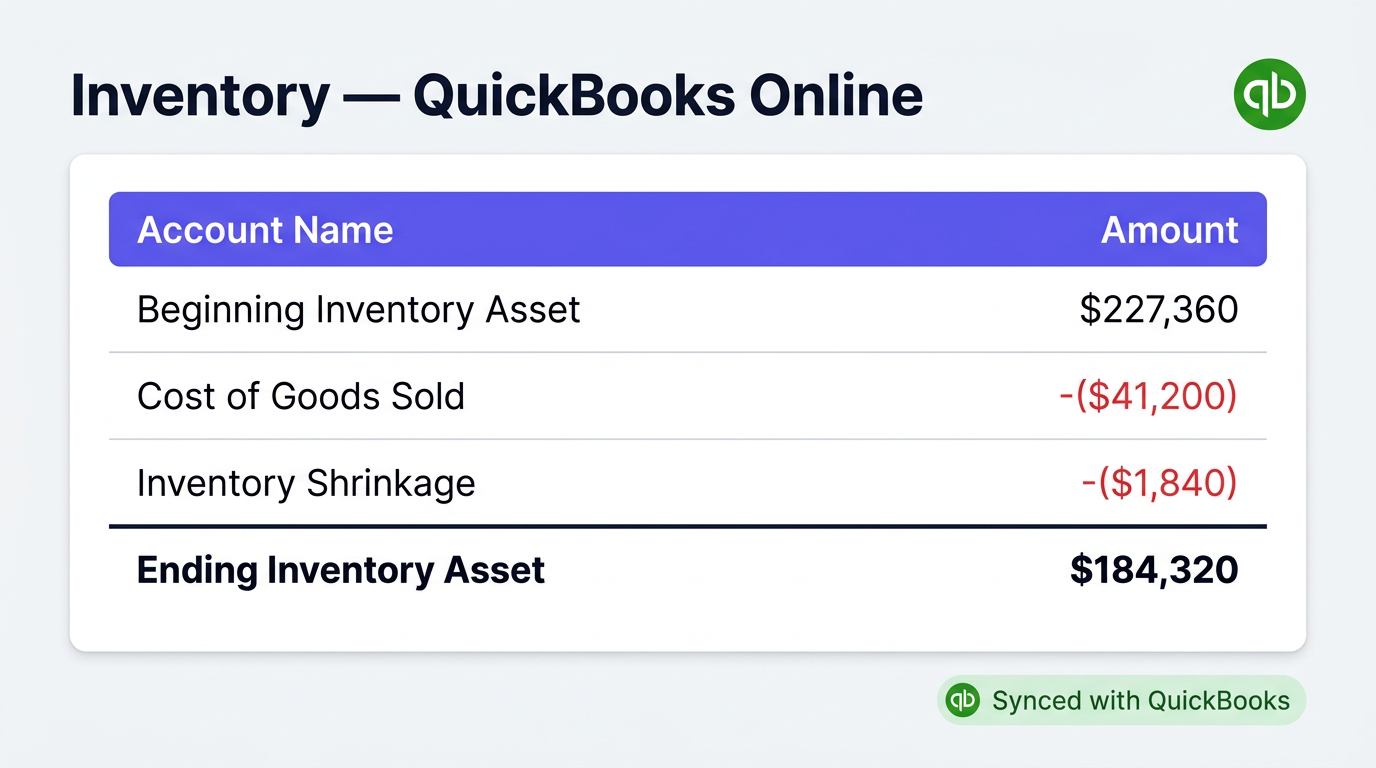
NeonPanel keeps stock, receipts, and channel sales tied to QuickBooks Online inventory and COGS accounts so asset balances match fulfilment reality.
- Live quantities — multi-location on-hand tied to sales velocity.
- Automatic updates — receipts and sales adjust QBO without manual journals.
- Reporting — valuation and movement reports straight from synced data.
- Channel coverage — ecommerce feeds inventory and COGS together.
- Less manual work — fewer correcting entries at month-end.
Inventory stays a first-class input to QuickBooks Online, not an afterthought.
How QuickBooks Online Integration Works
Order to journal: channels in, mapping once, FIFO COGS, then QuickBooks Online summaries with optional review.
| Step | What Happens | Manual Effort |
|---|---|---|
| 1. Connect channels | OAuth connect Amazon, Shopify, TikTok Shop | One-time setup |
| 2. Map accounts | Map fee and revenue types to the Chart of Accounts | One-time configuration |
| 3. Transactions sync | Capture orders, fees, payouts continuously | None |
| 4. COGS calculated | Batch FIFO cost lands on each sale automatically | None |
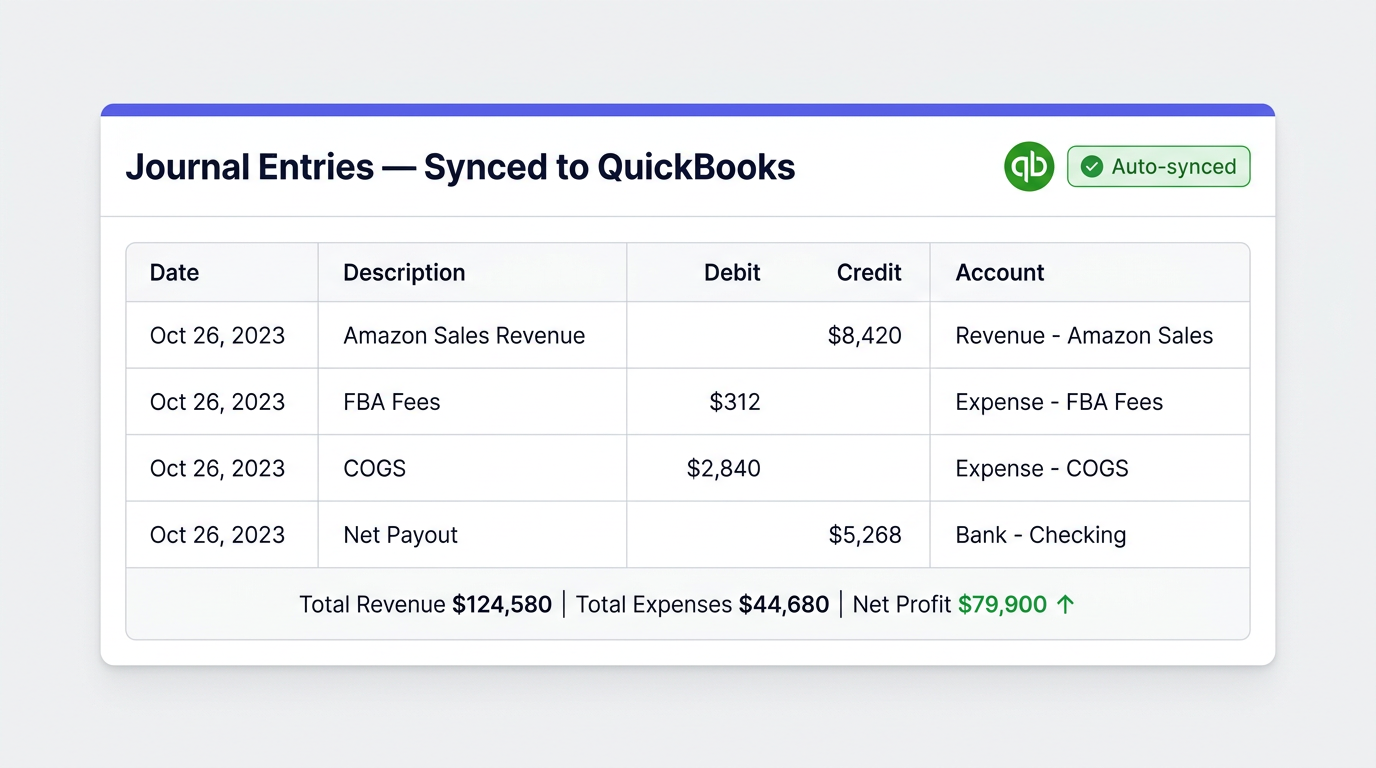
| 5. Journal entries posted | Summary journals push to QBO with audit detail in NeonPanel | Optional review |
| 6. Reports generated | Financial statements stay current from synced activity | None |
* After setup, automation runs continuously; accountants review instead of rebuild.
QuickBooks Ecommerce Integration for Accounting
NeonPanel posts classified sales, fees, tax, and COGS from each channel into QuickBooks Online so ecommerce activity matches the general ledger.
- Order sync — channel orders become structured QBO entries.
- Cleaner reporting — fewer manual reclasses at close.
- Inventory + COGS — stock moves stay tied to cost accounts.
- Operational lift — fewer copy-paste workflows between tools.
- Multi-channel — Amazon, Shopify, TikTok Shop roll into one company file with channel tags.
Finance sees the same numbers operations uses, without maintaining parallel spreadsheets.
Go deeper by marketplace
Each guide covers the marketplace transaction set, fee mapping, FIFO COGS, and reciprocal search phrasing (“QuickBooks to Amazon”, “QuickBooks to TikTok Shop”).
Amazon Seller Central
Step-by-step Selling Partner API connection, Chart of Accounts mapping, summary journal posting, and true FIFO COGS attached to each settlement.
Amazon Seller Central to QuickBooks → Jump to the walkthrough →TikTok Shop
Multi-storefront roll-up into one QuickBooks company, classes/locations for channel-level reporting, plus a reciprocal “QuickBooks to TikTok Shop” subsection.
TikTok Shop to QuickBooks deep dive → Jump to QuickBooks → TikTok Shop →Shopify
Shopify Payments, third-party gateways, refunds, multi-store roll-up into a single QuickBooks Online company.
Shopify to QuickBooks deep dive →On Xero instead? See the Xero ecommerce integration hub. Looking for the broader picture? See ecommerce accounting on NeonPanel, the value ladder, or compare modules in the pricing overview.
Flexible Pricing Plans
Choose the plan that fits your business needs
Essentials
Includes 10,000 orders/month · additional orders billed separately
Perfect for growing businesses
- ✓ One Amazon Seller Account
- ✓ Flexible Landed Cost Distribution
- ✓ Automated COGS Calculations
- ✓ QuickBooks & Xero Integration
- ✓ Unlimited Users & Roles
Professional
Includes 10,000 orders/month · additional orders billed separately
For multi-entity & multi-warehouse operations
- ✓ All Essentials Features
- ✓ Custom Chart of Accounts
- ✓ Multi-Entity Accounting
- ✓ Multi-Warehouse Inventory
- ✓ FBA, AWD & ASDN Shipments
- ✓ Accounting & Logistics Agents
Frequently Asked Questions
QuickBooks Online is Intuit's cloud ledger for AP/AR, banking, reporting, and multi-user access. Ecommerce integration pushes classified channel activity into that ledger automatically instead of re-keying exports.
Yes, QuickBooks Online is ideal for ecommerce businesses. It simplifies financial management, tracks sales across multiple channels, and provides insights into profits and expenses. Features like inventory management in QuickBooks Online help keep stock levels updated and prevent overstocking or stockouts.
QuickBooks integration refers to connecting QuickBooks Online with other software or platforms to automate data flow. This allows businesses to synchronize sales, purchases, payments, and inventory without manual entry, making financial management more efficient.
Absolutely. QuickBooks Online ecommerce integration allows businesses to connect with popular platforms such as Shopify and Amazon. This ensures that all sales, orders, and customer data are automatically synced with QuickBooks for accurate accounting.
Yes, when properly set up, QuickBooks Online can update inventory levels across connected ecommerce platforms in real time. This feature, part of inventory management in QuickBooks Online, helps prevent stock discrepancies and ensures accurate reporting.
The cost of QuickBooks Online integration depends on the platforms and tools you use to connect your ecommerce systems. Some integrations are included in QuickBooks subscription plans, while others may require third-party apps. Investing in QuickBooks integration with ecommerce can save time and reduce errors, often offsetting the initial cost.