
Accounting & Finance
Settlements, P&L, journals, COGS, and reconciliation as MCP tools on the Financials suite.
Connect ChatGPT, Claude, Cursor, or any MCP-compatible assistant to NeonPanel. Ask in plain English — get answers from live inventory, financials, and analytics instead of exporting reports











MCP Access is AI access to ecommerce data through an ecommerce MCP server: AI assistants connect to your NeonPanel account through MCP (Model Context Protocol) — often described as a universal plug for AI tools.
Instead of opening reports, exporting to Excel, and analyzing manually, you ask a question in chat. Your assistant pulls live data from NeonPanel and returns the answer.

Most teams start with operational questions they would otherwise answer across several dashboards.
MCP Access is an integration layer — not a separate NeonPanel feature locked to one chatbot. Any client that supports custom MCP connections can connect.
For structured NeonPanel agents without wiring MCP yourself, see NeonPanel for Claude and Agents in Slack.
How it works
Add NeonPanel MCP in Claude, Cursor, ChatGPT, or your preferred MCP-compatible client.
Sign in with OAuth and approve access for your company — scoped to your role.
Questions run against live ledger data; answers arrive in the conversation.
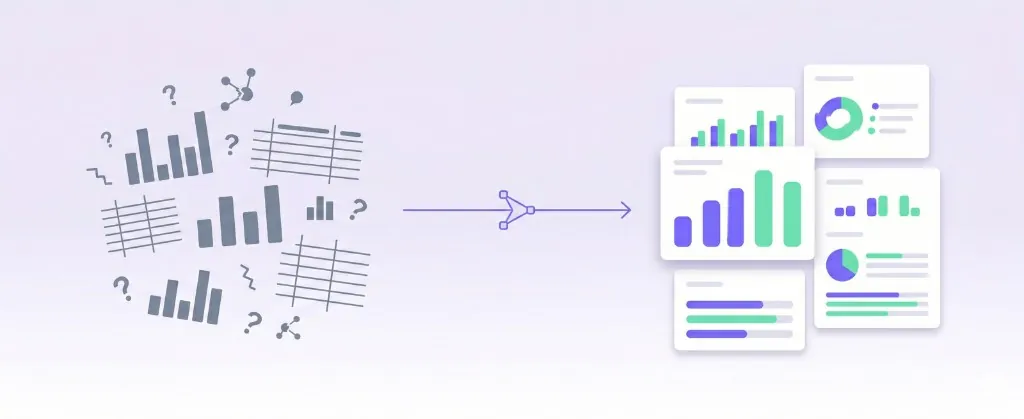
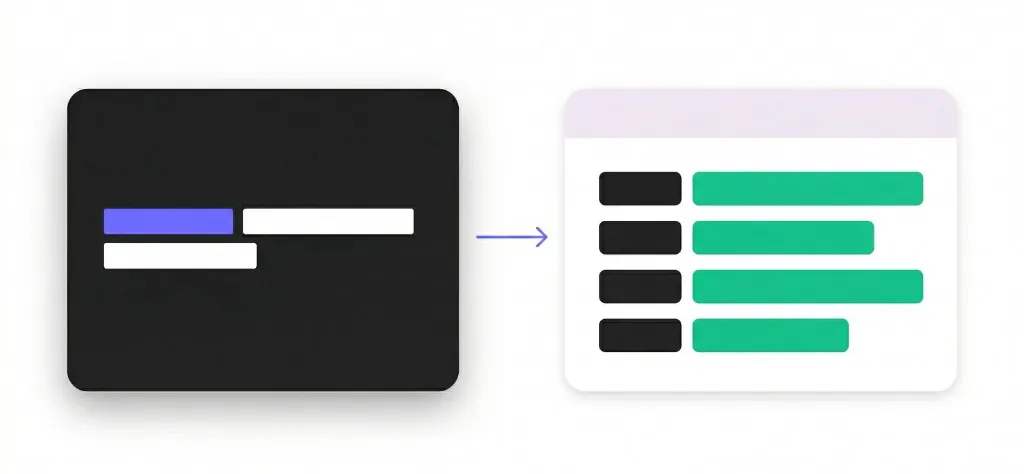
Without MCP
NeonPanel → export report → Excel → manual analysis
With MCP Access
NeonPanel → MCP Access → your AI — answer in chat
Same NeonPanel ledger — fewer exports, filters, and spreadsheet rebuilds before you get an answer.
| Traditional reporting | MCP Access |
|---|---|
| Open multiple reports | Ask one question |
| Export to Excel | Instant answer in chat |
| Build filters manually | Natural language |
| Analyze data yourself | AI analyzes live NeonPanel data |
CFOs and operators need to know AI access is controlled. MCP Access uses OAuth authorization, role-based NeonPanel permissions, and revocable connections.
Which tools an assistant can call depends on the client surface (Claude, Slack, NeonaSphera, or a raw MCP IDE) and your plan — not one global setting across every channel.
Operators, finance, agencies, and AI-powered teams ask the same ledger — without rebuilding reports for each role.
Ecommerce owners stop digging through reports and get instant answers about sales, inventory, profitability, and growth opportunities. Operations managers monitor inventory, purchase orders, and supply chain performance in natural language.
Finance teams & CFOs analyze profitability, cash flow, margins, and financial performance without manually building reports.
Agencies & consultants access client data faster and generate insights without hours in dashboards. AI-powered teams connect ChatGPT, Claude, Cursor, or custom MCP clients directly to business data and automate analysis workflows.
AI on the ledger Accounting, Inventory, and Forecasting already use — structured read and write against the same numbers that close the books. Structured tool responses on the reconciled ledger: reconciled objects and tool payloads — not CSV dumps — so models reason on NeonPanel’s ledger, not reconstructed spreadsheets.
Settlements, P&L, journals, COGS, and reconciliation as MCP tools on the Financials suite.
Locations, batches, landed costs, valuation, and inbound shipments as queryable Inventory tools.
Forecast scenarios, velocity, lead times, and stockout risk when Forecasting is enabled on your plan.
Brand Analytics, Financials, and Inventory — plus Forecasting when enabled on your plan.

Brand Analytics as MCP tools: query catalog and search performance, then join to your NeonPanel financials in the same session without re-exporting ranges.
Settlements, fees, refunds, FIFO COGS, and journals as structured tool payloads — the accounting-grade slice of the ledger your close already depends on.
FBA, AWD, 3PL, and internal warehouses in one queryable state — transfers, adjustments, and inbound receipts with traceability.
Forecasting & Replenishment on the same ledger: velocity, reorder guidance, stockout risk, and replenishment scenarios — same MCP interface when Forecasting is enabled.
Forecasting module required. Available on Professional and Enterprise plans.
A single MCP tool call. A structured response your AI can reason over immediately.
get_sku_margin_with_search_performance(
  period: "2026-03",
  top_n: 5,
  sort_by: "gross_margin",
  include: [
    "search_query_performance",
    "cogs_breakdown"
  ]
)[
{
sku: "NP-OMEGA-12",
revenue: 48200,
cogs: 19800,
gross_margin: 0.589,
landed_cost_per_unit: 4.12,
top_search_terms: [
"omega supplement",
"fish oil 1000mg"
],
search_query_trend: "↑ +18% MoM click share",
purchase_funnel: {
impressions: 142000,
clicks: 3800,
purchases: 610
}
},
...
]Structured fields from live NeonPanel state — ready for downstream reasoning without cleanup passes.
@mention Dorian, Marta, Nina, and the rest of the default NeonPanel roster directly — same specialists as Claude, without wiring MCP yourself.
Interactive by @mention with no schedule controls in Slack.
Prefer one general coworker? Viktor routes questions to the same MCP tools — useful when your team does not want to pick a specialist. Optional router, not required for Agents in Slack.
Specialist agents call NeonPanel MCP tools on your live ledger and reply in-thread — inventory, settlements, and forecasting without leaving the channel.
Works with Agents in Slack and Viktor as an optional router. No schedule controls in Slack.
Need multi-step agent fleets with routing and guardrails beyond raw MCP? See NeonaSphera — NeonPanel for Claude → · See pricing →
MCP Access connects AI assistants to your NeonPanel account through Model Context Protocol (MCP). You ask questions in plain language and get answers based on live inventory, financial, and operational data.
Any client that supports custom MCP connections — including Claude, ChatGPT, Cursor, Windsurf, VS Code, and Gemini. For pre-packaged NeonPanel agents, see NeonPanel for Claude and Agents in Slack.
Inventory levels and reorder timing, profitability and margins, supplier payments, shipment status, forecasting scenarios, and brand analytics — anything exposed as MCP tools on your plan.
Reporting requires opening dashboards, exporting files, and analyzing manually. MCP Access lets you ask one question in chat and receive an answer from live NeonPanel data.
Not for agent surfaces like Claude or Slack — you ask in plain English. Connecting a raw MCP client in an IDE takes basic setup steps documented for developers.
Yes. Connections use OAuth authorization, role-based NeonPanel permissions, and can be revoked at any time. Your data stays in your NeonPanel tenant.
Available actions depend on which surface you use (Claude, Slack, NeonaSphera, or a direct MCP client) and your NeonPanel role — not one global setting. Analysis is always available; write tools follow your plan and permissions.
Only data in your authorized NeonPanel company — inventory, settlements, COGS, forecasting, brand analytics, and related operational records scoped to your role.
Most teams connect an assistant and authorize NeonPanel in a few minutes. OAuth handles authentication on first use.
Yes. Revoke the connection from NeonPanel or your AI client workspace whenever you need to.
Available as a company-wide add-on on any plan. Book a demo or start free — See pricing for packaging.