
Bring your own AI
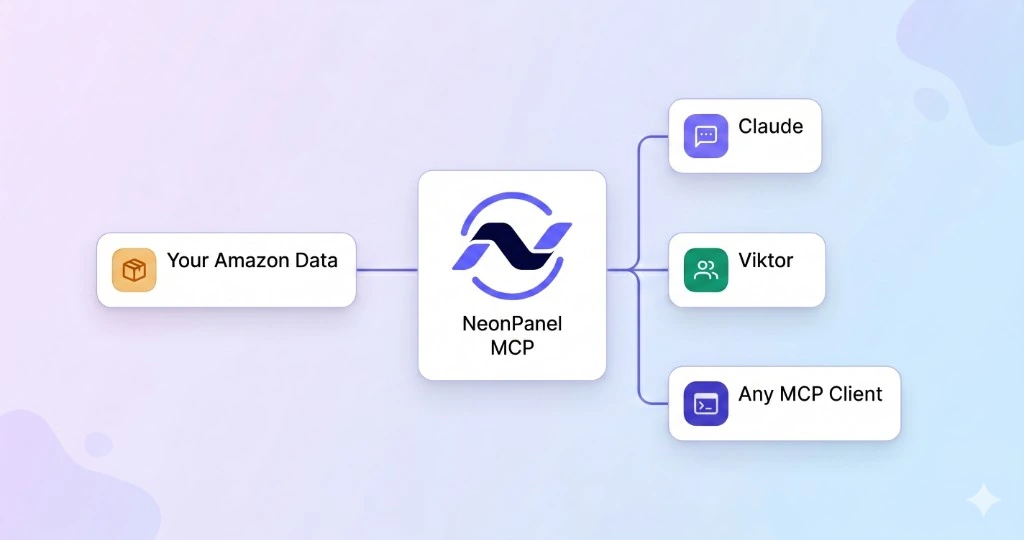
Give Claude, Cursor, or any MCP-compatible client governed read and write access to live inventory, financials, forecasting, supply chain, and Brand Analytics tools.
Use direct MCP with Claude, Cursor, or any MCP client, or work with NeonPanel specialists through Claude and Slack agents — all on the reconciled ledger finance and ops use. Ask in plain language, get sourced answers from inventory, settlements, and forecasting










Connect the model and automation stack you already use, or start with specialists that already know the ecommerce operating playbook.
Give Claude, Cursor, or any MCP-compatible client governed read and write access to live inventory, financials, forecasting, supply chain, and Brand Analytics tools.
Ask the business question first. The relevant specialist activates, uses the ledger, and can hand a scoped task to another expert when the answer crosses domains.
Query settlements, P&L, journals, COGS, and reconciliation from any compatible client.
Marta handles historical accounting; Sanjay carries the numbers into cash and margin planning.
Read inventory movements, batches, landed costs, valuation, locations, and inbound shipments.
Nina interprets supply chain state; Dorian turns stock and velocity into replenishment decisions.
Pull forecast scenarios, sales velocity, lead-time inputs, and stockout risk as structured tools.
Kio builds demand scenarios; Dorian uses them for reorder timing and purchase-order planning.
Model Context Protocol (MCP) is the open wire between your AI and NeonPanel — OAuth2-secured tool calls over the ledger, not one-off exports.
Inventory, financials, forecasting, supply chain, and Brand Analytics surface as structured tools any MCP client can call.
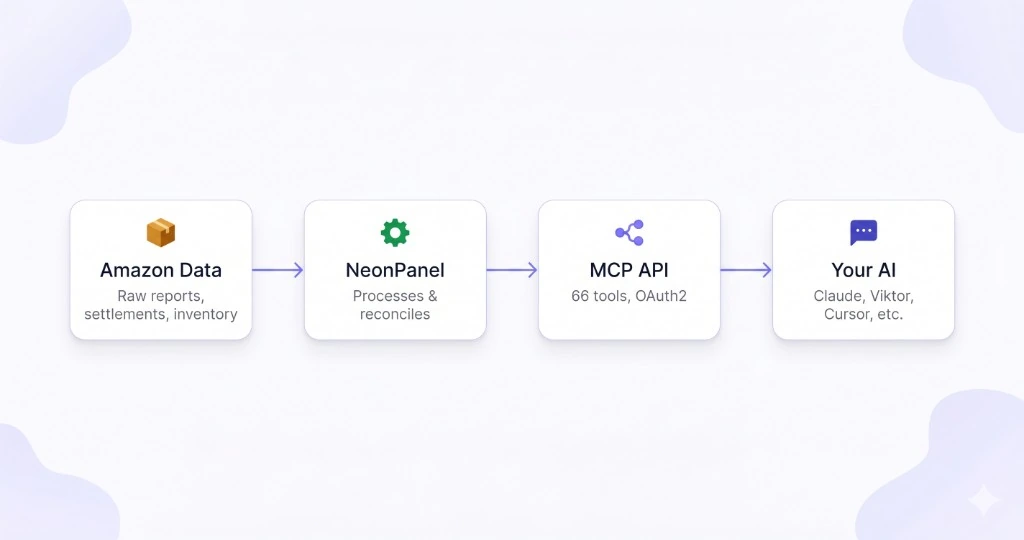
MCP provides the live tools. NeonPanel specialists add operating playbooks, routing, delegation, reusable prompts, skills, workflows, and scheduled checks where the host supports them.
The question is matched to the relevant specialty in supported agent experiences; in Slack, you choose the specialist by @mention.
The specialist calls the same accounting, inventory, forecasting, supply chain, and market tools available through MCP.
A replenishment question can bring in finance or forecasting without restarting the analysis or losing the relevant findings.
Reusable skills and workflows keep recurring analysis consistent. Schedules depend on the host; Slack remains interactive.
MCP for developers, Claude and Slack for agents, Viktor for general routing — the same reconciled data plane, with capabilities set by the client.
Claude Desktop, Cursor, Windsurf, or your stack — 100+ tools across eight domains with OAuth2.
Learn more →Bring your own prompting, workflows, and schedules.
Claude Code or Cowork: eight domain specialists route to the right MCP tools for each question.
Learn more →Claude supplies runtime features; Chat is MCP-only.
@mention NeonPanel specialists in Slack — same default roster as Claude, on the live ledger.
Learn more →Interactive by @mention with no schedule controls in Slack.
Viktor in Slack or Teams: one coworker that routes to the same MCP substrate when you do not pick an agent.
Learn more →Optional when you prefer one router instead of choosing an agent.
NeonPanel MCP gives any compatible AI governed access to live ecommerce data and 100+ tools. NeonPanel agents add specialist operating knowledge, routing, reusable skills, and handoffs on top of that data. With direct MCP, your chosen client supplies the agent logic and automation.
The published roster includes Neon for onboarding and customer success, Dorian for replenishment, Nina for supply chain, Mark for marketing research, Marta for accounting, Kio for forecasting, April for market intelligence, and Sanjay for financial analysis.
In supported agent experiences, the request is matched to the specialist with the relevant operating playbook and data tools. In Slack, you choose the specialist directly with an @mention. Viktor is the optional general router when you prefer one entry point.
Yes. When a request crosses domains, the primary specialist can delegate a scoped part of the work and carry the relevant context and findings into the final response. The supporting agents work from the same reconciled ledger.
NeonPanel supports reusable workflows and scheduled checks in structured agent environments. Direct MCP users configure that automation in their own client or runtime. Claude users rely on the workflow and scheduling features available in Claude. Slack is interactive and does not expose schedule controls.
Direct MCP provides live data and tools for the AI stack you build. NeonPanel for Claude brings the specialist skills to Claude Cowork and Code, while Claude Chat uses the MCP connector without the skills bundle. Agents in Slack are available by direct @mention. Viktor is the optional general coworker that routes requests for you.
NeonPanel MCP uses OAuth2-secured, permission-scoped tool calls. Your AI receives structured results from the ledger rather than a standing export, and write actions remain governed by the tools and permissions available to that connection.
Run the operating system first. Claude, Slack agents, Cursor, and other MCP clients become access surfaces for numbers finance and operations already trust.