
NeonPanel for Claude
Eight specialist skills in Claude Cowork or Code — live Amazon seller data via MCP, routed automatically per question
- Accounting
- Inventory
- Forecasting
- AI access
Claude Cowork Installation Guide (PDF) → · Claude Chat: MCP connector

Trusted by 200+ Ecommerce Teams











Three Claude surfaces
Most teams install in Claude Cowork (Desktop). Claude Code and Claude Chat have separate paths below.
Your Amazon data, inside Claude
The NeonPanel Claude plugin connects Claude to your ledger over MCP — replenishment, COGS, market share, and cash flow answers stay tied to tool output, not prose alone.
Ask in plain language. Skills activate when your question matches their domain — no spreadsheet prep and no agent picker.
Eight specialists — every operation covered
Each skill encodes a trained NeonPanel agent — routing, playbooks, and MCP tool calls. You never pick an agent manually; Claude matches your question to the right specialty. Grouped by work: Finance (Marta, Sanjay), Ops & supply (Neon, Dorian, Nina), Planning (Kio), Growth (Mark, April).
Neon
Customer Success & Onboarding
"Walk me through setting up my Chart of Accounts mapping."
Dorian
Replenishment Planning
"Which POs should I place this week based on current stock levels?"
Nina
Supply Chain Analysis
"Show me shipment arrival predictions for my open inbound shipments."
Mark
Marketing Research
"Audit my top ASIN listing for compliance and optimization issues."
Marta
Accounting
"Pull my P&L for last quarter and break down COGS by product."
Kio
Sales Forecasting
"Generate a 90-day forecast for my top 10 ASINs."
April
Market Intelligence
"Show me keyword gaps where competitors are gaining search share."
Sanjay
Financial Analysis
"Analyze my cash flow projections for the next 6 months."
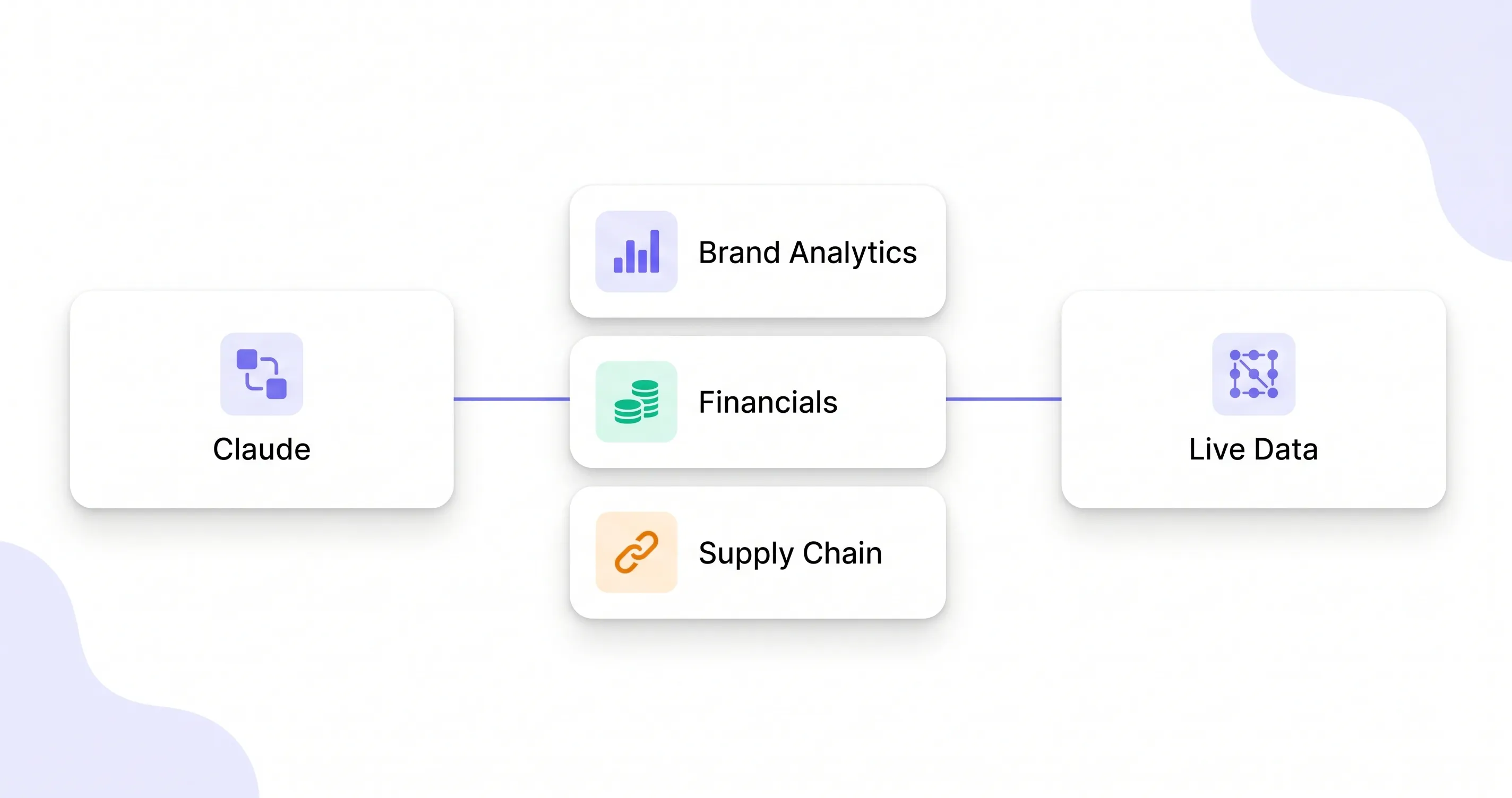
Eight data domains — one connection
One OAuth2 connection on first MCP tool use; eight NeonPanel domains exposed as tools Claude can call directly.
Brand Analytics
Competitive landscape, keyword funnels, search term momentum, cross-sell, repeat purchases
Financials
General ledger, P&L, journal entries, Amazon statements, reconciliation
Forecasting
Sales forecasts, scenario comparison, demand planning
Supply Chain
Replenishment candidates, sales velocity, shipment tracking, logistics parameters
Inventory
Stock levels, warehouse balances, item details, listing data
COGS
FIFO analysis, landed costs, unit costs, lost batches
Advertising
Campaign performance, search term analysis
Account
Company management, ASIN catalog lookup, import & document creation
Queries fetch fresh NeonPanel objects over OAuth2-authenticated MCP calls; nothing is cached inside Claude between sessions.
Install in Claude Cowork
Start with Cowork if you use Claude Desktop. Code and Chat tabs are below if you need a different surface.
Cowork has its own plugin manager and does not inherit Claude Code installs. Follow the three steps below, then connect on first use.
-
Step 1 / 3
Click + → Create plugin → Add marketplace
In Claude Cowork, click the + next to Personal plugins. Hover Create plugin, then choose Add marketplace from the submenu.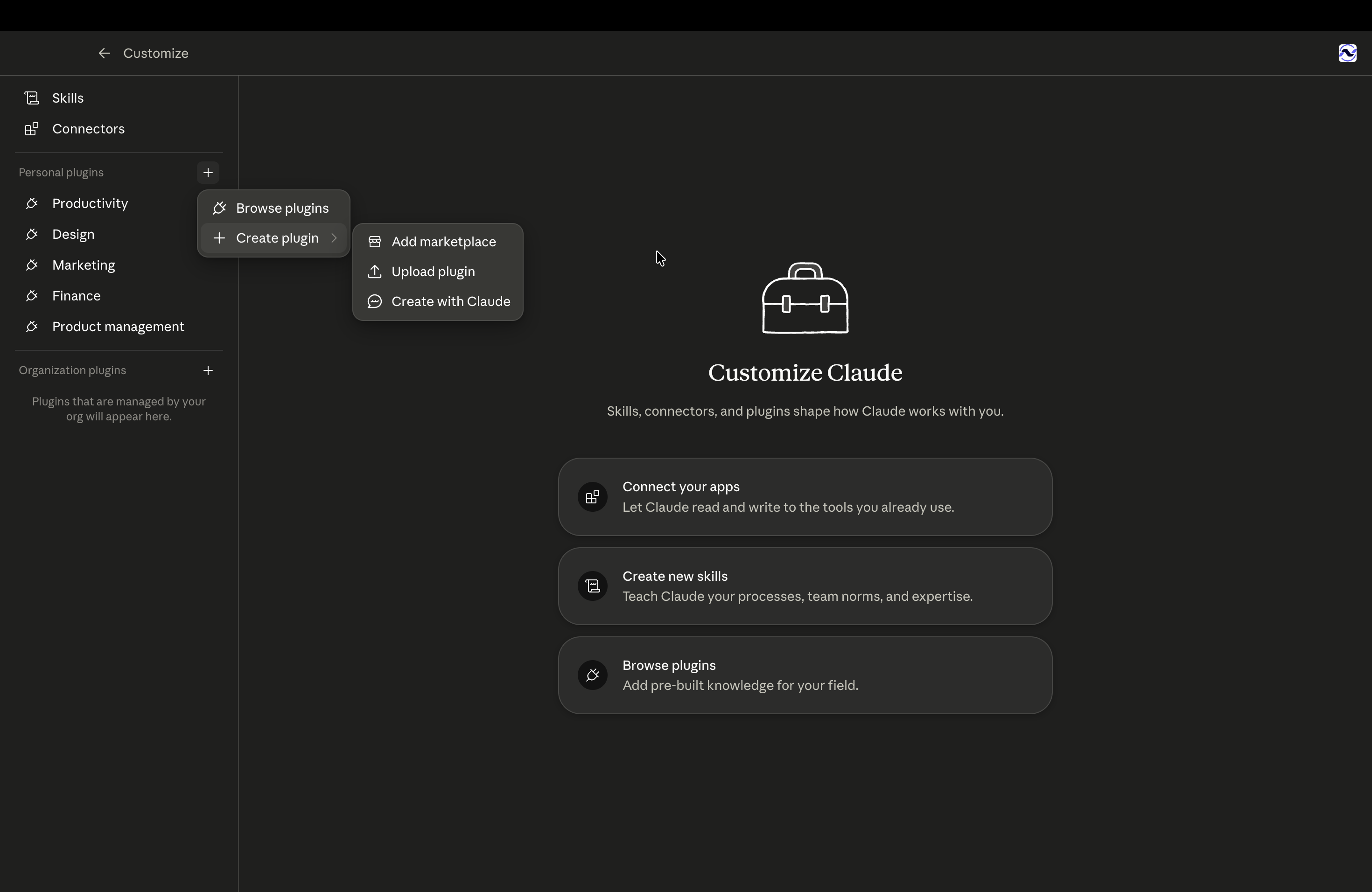


Help me set up NeonPanel.Prefer a printable version? Download the Claude Cowork Installation Guide (PDF) →
Install from the NeonPanel marketplace in Claude Code (CLI or Desktop Code tab). Two commands — no local MCP JSON to maintain.
/plugin marketplace add neonpanel/claude-plugin
/plugin install neonpanel@neonpanel
Alternate: Anthropic community marketplace
/plugin marketplace add anthropics/claude-plugins-community
/plugin install neonpanel@claude-communityPlugins are not supported in Claude Chat (claude.ai or the Desktop Chat tab). Add NeonPanel as a custom MCP connector instead.
- Open Claude Chat settings → Connectors (or Integrations).
- Add a custom MCP connector with URL
https://mcp.neonpanel.com/mcp. - On first tool use, complete OAuth to link your NeonPanel account.
You get live NeonPanel MCP tools and OAuth on first use. The eight specialist skills ship with the plugin in Code and Cowork only — not in Chat.
After install (Code & Cowork)
On the first MCP tool call, Claude prompts OAuth to link your NeonPanel account — about 30 seconds.
Ask Help me set up NeonPanel. — Claude walks through integrations and MCP readiness.
For Shared Workspace, add https://admin.neonasphera.com/mcp manually as a custom connector — not bundled with the plugin.
Requirements
- Claude Code (CLI or Desktop Code tab) or Claude Cowork (Desktop)
- Active NeonPanel account
- Amazon seller account connected in NeonPanel
Guides, repo, and MCP endpoint
Claude Cowork install guide, plugin repo, and MCP endpoint.
Frequently asked questions
NeonPanel for Claude connects Claude to your NeonPanel account so you can analyze Amazon and multi-channel ecommerce data in natural language instead of rebuilding reports in dashboards.
It works with Claude Code, Claude Cowork, and Claude Chat (via the MCP connector), plus any other environment that supports Model Context Protocol integrations.
NeonPanel connects your marketplace and ledger data to Claude through MCP. You ask about sales, inventory, and profitability in plain language and get answers grounded in the same numbers finance uses.
Claude can access only the business data you authorize in NeonPanel — orders, inventory, pricing, settlements, and financial metrics scoped to your account and role.
Yes. Access is permission-based through OAuth, and you stay in control of what is connected. You can revoke access at any time from NeonPanel or your Claude workspace.
Which actions are available depends on the Claude surface and your NeonPanel permissions — not a single global switch. Some workflows are analysis-only; others can write back through approved MCP tools when your plan and role allow it.
Setup takes a few minutes: install the plugin or MCP connector, connect your NeonPanel account, authorize Claude, and start asking questions about your live data.
No coding required for Claude Cowork or Chat. You ask in plain English; specialist skills route your question to the right NeonPanel tools automatically.
Give Claude your NeonPanel ledger
Install in Claude Cowork, authenticate once, and route questions to the same MCP tools your operators trust. Claude Chat stays MCP connector only.