


In this article What Amazon's DD+7 Policy Actually Does Why Settlement-Based Books Drift Under DD+7...

In this article
- Amazon Sales vs Payout: What's the Difference?
- Why Is My Amazon Payout Lower Than My Sales?
- How Does Amazon Calculate Seller Payouts?
- Where to Find Your Amazon Seller Payments and Payout Breakdown
- What Is Amazon Seller Payout Reconciliation?
- How to Reconcile Amazon Sales With Payouts Step by Step
- What an Amazon Settlement Report Contains
- Manual vs Automated Amazon Payment Reconciliation
- Common Amazon Payout Reconciliation Mistakes
- FAQ
Seeing strong Amazon sales but a much smaller bank deposit can be confusing. The difference is usually not a reporting error. Sales show what customers paid for your products, while the amount transferred to your bank reflects fees, refunds, adjustments, reserves, and transaction timing.
Understanding that gap is essential for accurate bookkeeping and cash-flow planning. NeonPanel helps eCommerce businesses turn marketplace activity into accounting-ready financial data, making it easier to trace the path from a sale to the cash that reaches the bank.
Amazon Sales vs Payout: What's the Difference?
Amazon gross sales represent the value generated from customer orders before the costs associated with selling on the marketplace are fully deducted. They are a useful measure of selling activity, but they do not represent the cash a business ultimately receives.
An Amazon seller payout is the net amount Amazon transfers to the seller's bank account after applying the transactions that affect the available balance.
The basic distinction looks like this:
| Metric | What It Represents | Typical Components |
|---|---|---|
| Sales | Revenue generated from orders | Product charges, shipping, gift wrap |
| Deductions | Amounts reducing available funds | Referral fees, FBA fees, storage, advertising |
| Adjustments | Transactions changing the balance | Refunds, reimbursements, chargebacks |
| Reserves | Funds temporarily unavailable for disbursement | Delivery-date reserves and other applicable holds |
| Payout | Cash transferred to the bank | Available balance after applicable deductions and holds |
A payout should therefore not be treated as revenue. It should not be treated as profit either. Profit still depends on costs outside the marketplace balance, such as inventory, manufacturing, freight, payroll, software, and other operating expenses.
Why Is My Amazon Payout Lower Than My Sales?
The most common reason is that Amazon collects customer revenue and then applies multiple charges and adjustments before funds become available for transfer.
These can include:
- referral fees;
- FBA fulfillment and storage fees;
- advertising charges;
- subscription and other service charges;
- customer refunds and chargebacks;
- inventory-related adjustments;
- funds temporarily held in reserve.
This means a seller with $50,000 in sales during a period should not expect a $50,000 bank deposit. The difference must be broken down transaction by transaction rather than treated as an unexplained variance.
Amazon Account-Level Reserve Explained
An Amazon account level reserve is money that remains in the account instead of being immediately available for disbursement. Reserves help cover potential financial obligations such as refunds, claims, and chargebacks.
Amazon's standard delivery-date reserve policy is commonly referred to as DD+7. Under this policy, funds generally become available seven days after confirmed delivery. The reserve period can be extended based on risk and account performance.
A reserve is important for accounting because withheld funds have not simply disappeared. They may move into the available balance in a later settlement period. Treating every reserve movement as an expense can therefore distort both revenue and profitability.
Timing Differences: Ordered vs Shipped Sales
Another mismatch occurs because an order appearing in a sales view does not necessarily mean the related cash is immediately available.
The financial lifecycle can extend across several dates:
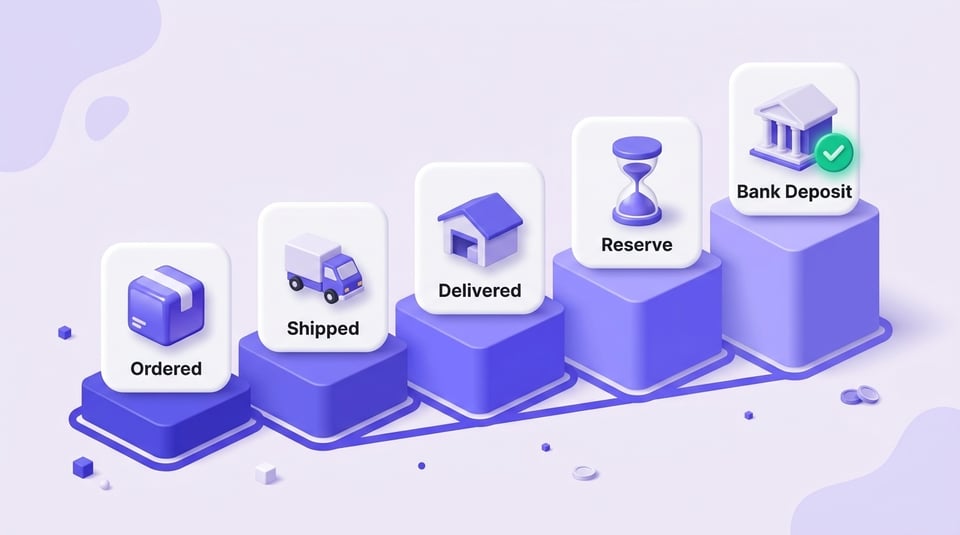
Order placed → Shipment → Delivery → Reserve period → Available balance → Disbursement → Bank deposit
As a result, orders recorded near the end of a reporting period may contribute to sales while the related cash appears in a later period.
Under delivery-date-based reserves, transactions can remain deferred until the applicable release conditions are met.
Reporting Period and Time Zone Differences
Reports can also differ because they do not always group transactions using exactly the same timing logic.
A sales dashboard may answer, “How much did we sell during this period?” while a payment report answers, “Which transactions became part of this financial settlement?”
Differences in posting dates, marketplace reporting periods, settlement cutoffs, refunds processed later, and deferred transactions can all move activity from one period to another.
For this reason, comparing a daily sales total directly with a bank deposit is not a reliable reconciliation method.
How Does Amazon Calculate Seller Payouts?
At a high level, the calculation can be represented as:
Beginning Balance + Sales − Expenses ± Refunds and Adjustments − Funds Held in Reserve = Available Payout
The beginning balance can include amounts carried forward from a previous settlement. Sales add customer transaction value, while marketplace fees and other expenses reduce the balance. Refunds and adjustments can move it in either direction, and reserve activity determines how much is currently available for disbursement.
The Amazon payout schedule also affects when an available balance becomes cash in the bank. Amazon states that seller accounts are generally settled every two weeks, while the exact next disbursement date and estimated amount can be viewed in the Payments Dashboard.
This distinction matters: calculation determines how much is available, while timing determines when that amount can reach the seller.
Where to Find Your Amazon Seller Payments and Payout Breakdown
Amazon seller payments can be reviewed in Seller Central through the Payments Dashboard. Instead of relying only on the amount shown in the bank feed, use the underlying payment data to understand how Amazon arrived at that number.
Useful views include:
- Statement View for the overall balance and settlement activity;
- Transaction View for individual credits, fees, refunds, and other movements;
- Disbursements for transfers initiated to the bank;
- date-range and settlement reports for detailed accounting and reconciliation work.
If a transfer looks unexpectedly low, start with the relevant payment period and trace the transactions that increased or reduced the available balance.
For businesses that need marketplace transactions organized for bookkeeping, Amazon Accounting Software can reduce the amount of manual work required to convert marketplace activity into usable accounting records.
What Is Amazon Seller Payout Reconciliation?
Amazon seller reconciliation is the process of proving how marketplace activity becomes the net amount deposited into the bank.
The objective is not to force the sales number to equal the deposit. Instead, the objective is to explain the difference.
A properly reconciled period connects:
Sales → Fees → Refunds → Adjustments → Reserves → Disbursement → Bank Deposit
This creates a traceable financial record and prevents net deposits from being incorrectly booked as revenue.
How to Reconcile Amazon Sales With Payouts Step by Step
A reliable process starts with the settlement data associated with the bank transfer rather than with daily order totals. The AI Overview sources reviewed for this article consistently describe matching the deposit to settlement-level data and separating gross revenue from deductions.
- Identify the bank deposit
Find the Amazon transfer in your bank feed and note its amount and date. - Find the corresponding settlement
Open Seller Central and locate the payment period associated with that disbursement. Download the detailed report needed for the period. - Record sales at gross value
Do not post the net bank deposit directly as sales income. Record the underlying revenue separately. - Record fees and deductions
Separate referral fees, fulfillment fees, storage charges, advertising costs, and other applicable expenses into the correct accounts. - Record refunds and adjustments
Refunds, reimbursements, chargebacks, and other adjustments should be classified according to their actual financial purpose rather than combined into one generic difference. - Account for reserved funds
Track money that remains unavailable separately so it can be carried into the appropriate later period instead of being treated as a permanent expense. - Use a clearing account
An Amazon clearing account can act as the bridge between marketplace activity and the bank. Sales increase the clearing balance, while fees, refunds, reserves, and transfers reduce or reclassify it. - Match the disbursement
Match the final transfer to the corresponding settlement activity. Once all relevant transactions are recorded correctly, the unexplained difference should be eliminated or limited to identifiable timing items.
For businesses using QuickBooks, Amazon to QuickBooks provides a more structured way to move marketplace financial data into the accounting workflow.
What an Amazon Settlement Report Contains
An Amazon settlement report provides the transaction-level detail needed to explain a disbursement. Depending on the report and marketplace setup, the data can include revenue, fees, refunds, reimbursements, adjustments, reserves, and transfers.
For reconciliation purposes, it is useful to group the data into four categories:
| Category | What to Review |
|---|---|
| Revenue | Product charges and other customer-facing sales amounts |
| Fees and deductions | Referral, fulfillment, storage, advertising, and other applicable charges |
| Adjustments and reserves | Refunds, reimbursements, chargebacks, deferred or reserved funds |
| Disbursement | Final amount transferred to the bank |
The important accounting principle is to preserve the gross components. If only the final deposit is recorded, revenue and expenses become compressed into a single number and the financial statements lose important detail.
Manual vs Automated Amazon Payment Reconciliation
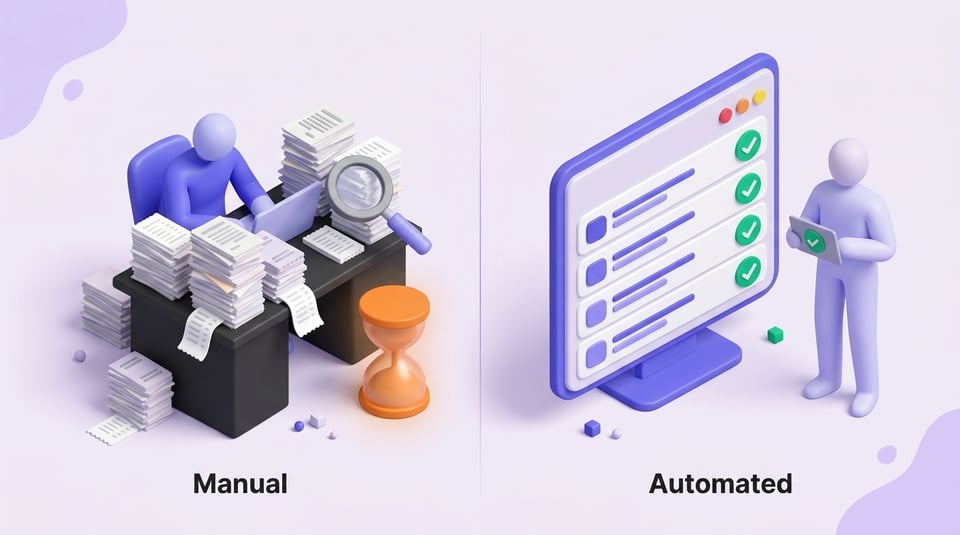
Amazon payment reconciliation can be performed manually, but the workload grows quickly as transaction volume, marketplaces, SKUs, and settlement periods increase.
A manual workflow can work when transaction volume is limited and someone regularly reviews the payment reports. It requires downloading the appropriate data, categorizing transactions, posting entries, tracking reserves, and matching each transfer.
Automation becomes more useful when a business needs to:
- process multiple settlements consistently;
- separate revenue, fees, refunds, and adjustments;
- reduce repetitive journal-entry work;
- keep marketplace data aligned with accounting software;
- maintain a clear audit trail from settlement to bank.
The purpose of automation is not simply to import more data. It is to preserve the accounting logic behind each settlement while reducing manual processing.
For a workflow focused specifically on this process, see Amazon Reconciliation.
Common Amazon Payout Reconciliation Mistakes
Most reconciliation problems come from treating cash movement as if it were the complete financial picture.
Common mistakes include:
- Booking the bank deposit as revenue. This understates sales and hides marketplace expenses.
- Comparing daily sales directly with deposits. The two can cover different transaction and availability periods.
- Ignoring reserves. Withheld money may become available later and should not automatically be treated as a cost.
- Combining all fees into an unexplained difference. Proper categorization provides a clearer view of marketplace economics.
- Ignoring refunds and reimbursements. These can materially change the amount transferred.
- Reconciling by date only. A deposit date does not necessarily correspond to the dates on which the underlying orders were placed.
- Leaving unexplained balances in the clearing account. Remaining balances should be traceable to deferred activity, reserves, timing differences, or another identifiable transaction.
Consistent reconciliation gives sellers a much clearer view of revenue, expenses, cash flow, and the actual economics of selling on Amazon.