
In this article Amazon Sales vs Payout: What's the Difference? Why Is My Amazon Payout Lower Than...
In this article
- Amazon Sales vs Payout: What's the Difference?
- Why Amazon Sales and Payouts Don't Match
- How Amazon Seller Payments and the Payout Schedule Work
- What Is an Amazon Account Level Reserve?
- How to Reconcile Amazon Sales and Payouts
- How to Find and Fix Amazon Payout Discrepancies
- How to Simplify Amazon Payout Reconciliation
- FAQ
Amazon sellers often notice that the sales figure shown in Seller Central does not match the amount deposited into their bank account. This does not mean that money is missing. Sales and payouts represent different stages of the payment process and can include different transactions, dates, deductions, and holds.
Amazon may deduct fees, process refunds, apply adjustments, or temporarily hold funds before they become available for transfer. As a result, comparing sales for a calendar month with a single bank deposit can produce a misleading difference.
Understanding how these figures relate makes it easier to identify genuine discrepancies, maintain accurate financial records, and understand how much cash is actually available to the business.
Amazon Sales vs Payout: What's the Difference?
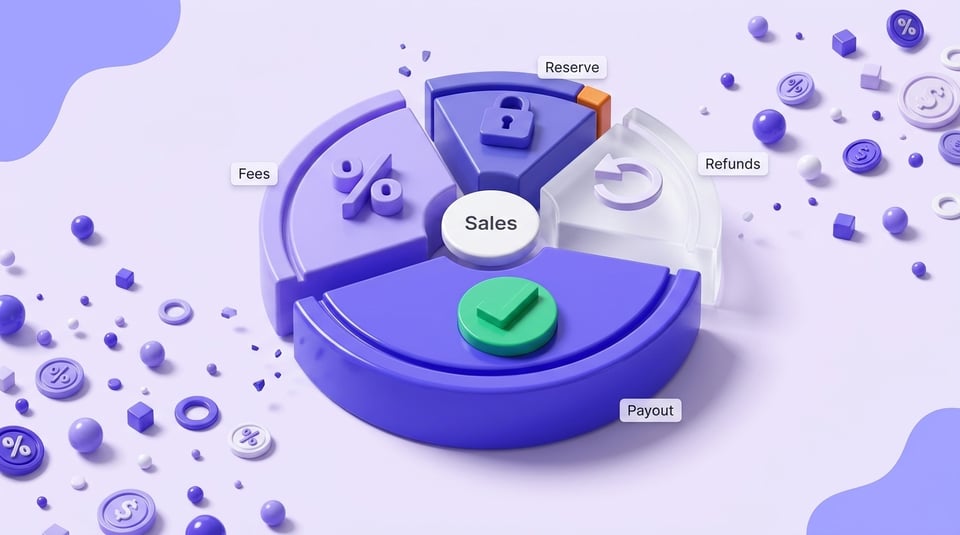
Sales represent the value of transactions generated through the marketplace during a particular period. A payout represents funds Amazon makes available for transfer after applicable transactions, fees, refunds, adjustments, and holds have been taken into account.
These figures should not normally be expected to match.
For example, a seller could generate $20,000 in sales while receiving a significantly smaller bank deposit. The difference may include selling fees, fulfillment costs, refunds, adjustments, and funds that are still unavailable for transfer.
The main figures have different purposes:
- Sales show marketplace activity.
- Settlement amounts reflect the transactions included in a particular settlement.
- Payouts represent funds processed for transfer.
- Bank deposits show the amount actually credited to the seller's account.
- Profit reflects the financial result after relevant costs and expenses are accounted for.
An Amazon seller balance can contain amounts that are available, pending, or reserved. It should therefore be reviewed together with the underlying payment and transaction information rather than treated as a direct measure of revenue or profit.
For sellers who need to organize marketplace financial data, Amazon accounting can help connect Amazon transactions with a broader accounting workflow.
Why Amazon Sales and Payouts Don't Match
Several factors can create a difference between sales and the amount eventually transferred to a seller.
Fees and Selling Expenses
Amazon deducts applicable charges from seller proceeds. Depending on the account and fulfillment model, these can include:
- Referral and selling fees
- FBA fulfillment charges
- Storage fees
- Return-related charges
- Other marketplace service fees
Advertising costs require additional attention. If advertising is charged through the seller payment account, it may affect the settlement. If it is billed separately, it will not necessarily appear as a deduction from the same payout.
Refunds and Returns
A refund can affect a later settlement even when the original order occurred earlier. This creates an important timing difference when sellers compare sales and cash received.
Other adjustments can also change the amount. Reimbursements, credits, and corrections may increase the settlement, while refunds and additional charges can reduce it.
For this reason, Amazon payout discrepancies should be investigated at the transaction level rather than treated automatically as missing revenue.
Timing Differences
The date an order is placed, the date a transaction is recorded, and the date money reaches the bank can all be different.
A sales report for one month may therefore contain transactions that are not included in the corresponding payout. At the same time, a payout may contain refunds, fees, or adjustments related to transactions from an earlier period.
A separate and increasingly common cause of this gap is Amazon's DD+7 policy (Delivery Date plus seven days). In short, for most consumer orders Amazon holds the proceeds until seven days after the confirmed delivery date, and B2B orders are typically held longer, around 30 days from the order date. While this hold applies, the funds sit in Seller Central under Deferred Transactions and do not appear in a regular settlement at all.
In practice these seven days rarely stay seven days: the countdown starts from delivery, and delivery depends on the carrier, the region, and returns handling. As a result, an order can surface in a settlement anywhere from one to three weeks later. This is why sales made near the end of a month systematically spill into the following period's reports, distorting month-over-month comparisons, cost calculations, and advertising ROI analysis.
A detailed breakdown of how DD+7 works, and how to structure accounting so it doesn't depend on Amazon's payout schedule, is in our article on Amazon Deferred Transactions and DD+7.
Reserves and Deferred Funds
Not all funds generated by sales are necessarily available for immediate transfer. Some amounts may remain unavailable because they are subject to a reserve or have not yet become eligible for release.
These funds should not automatically be classified as expenses. A fee reduces the proceeds from a transaction, while a held amount may simply remain unavailable until the relevant conditions are met.
Currency Conversion and Bank Charges
Sellers operating internationally may also see differences caused by currency conversion. The amount shown in an Amazon report can differ from the amount credited to a bank account because of exchange rates or charges applied during the transfer.
These differences should be reviewed separately from discrepancies within the Amazon settlement itself.
How Amazon Seller Payments and the Payout Schedule Work
The Amazon seller payment schedule determines when eligible funds are processed for transfer. The actual amount available for a payment depends on the transactions included in the relevant settlement and on the seller's account circumstances.
The Amazon payout schedule should therefore be viewed as a process for transferring eligible funds rather than a promise that all sales generated during a specific period will appear in the next bank deposit.
Several terms are useful when reviewing payments:
- Settlement period: The period covered by a particular payment statement.
- Available balance: Funds currently eligible for transfer.
- Deferred transactions: Transactions whose funds have not yet been released.
- Account-level reserve: Funds held against potential financial obligations.
- Disbursement: The transfer of eligible funds to the seller's bank account.
The Amazon seller payout schedule can be affected by refunds, adjustments, reserves, deferred transactions, and other account-specific conditions.
This is why sellers should review the payment information in Seller Central rather than assume that a fixed number of days will always separate a sale from the corresponding bank deposit.
The Amazon payment cycle is particularly important when analyzing cash flow. A business can generate strong sales while still having less cash immediately available because some transactions have not yet been settled or funds remain unavailable.
For accurate reporting, sales should therefore be analyzed according to the relevant transaction and settlement periods instead of being compared directly with bank deposits from the same calendar month.

What Is an Amazon Account Level Reserve?
An Amazon account level reserve is an amount Amazon may hold to help cover potential financial obligations associated with a seller account.
The reserve can reduce the amount currently available for disbursement even when sales activity is strong. This does not necessarily mean that the funds have been charged as an expense or permanently removed from the account.
The distinction between a reserve and a fee is important:
- A fee is a charge associated with a service or transaction.
- A reserve represents funds that remain unavailable for immediate disbursement.
- A refund or claim can reduce the seller's available funds when the relevant transaction is processed.
- A deferred transaction will become available later when the applicable release conditions are met.
Depending on the circumstances, reserves can relate to potential refunds, claims, chargebacks, delivery-related obligations, or other account-level considerations.
Sellers should review the reserve information in Seller Central rather than assume that a particular percentage will always be held. The amount and release conditions can depend on the account and applicable Amazon policies.
If the reserve appears unexpectedly high, check the account for unresolved claims, chargebacks, refunds, or other factors that could affect available funds.
How to Reconcile Amazon Sales and Payouts
A reliable Amazon seller reconciliation process connects sales activity with individual transactions, settlement calculations, and the corresponding bank deposit.
1. Identify the Relevant Period
Start by identifying the settlement or payment that needs to be checked. Record the dates covered by the settlement and locate the corresponding bank transaction.
Do not compare sales from an entire calendar month with a single deposit unless the different reporting periods have been taken into account.
It's also worth keeping Amazon's DD+7 policy in mind here: because of it, a portion of orders from the end of a period simply cannot appear in the current settlement yet — the funds are still sitting under Deferred Transactions and typically surface one to three weeks after delivery. Overlooking this can make a normal hold look like a real discrepancy and send you chasing the wrong lead. We cover this mechanic in detail, along with how to build accounting around transaction dates instead of payout dates, in our article on DD+7 and Amazon's deferred transactions — it's worth checking before drawing conclusions about a discrepancy.
2. Download the Relevant Report
Retrieve the appropriate Amazon settlement report from Seller Central.
Review the transaction details included in the report rather than relying only on the final settlement figure. Depending on the period, the report can include sales proceeds, refunds, fees, adjustments, and other transactions affecting the amount payable.
3. Review the Transactions
Check whether the relevant records are complete and whether individual entries explain the difference between sales and the amount available for transfer.
Look for:
- Missing transactions
- Duplicate entries
- Refunds
- Selling and fulfillment fees
- Adjustments and reimbursements
- Reserved or deferred funds
4. Calculate the Expected Amount
Create a reconciliation that starts with the relevant sales proceeds and accounts for deductions and additions.
| Settlement component | Example amount |
|---|---|
| Sales proceeds | $20,000 |
| Refunds | −$800 |
| Selling and fulfillment fees | −$3,000 |
| Other charges | −$400 |
| Reimbursements | +$200 |
| Net settlement | $16,000 |
| Funds held in reserve | −$1,000 |
| Expected disbursement | $15,000 |
This is a simplified example for illustrating the reconciliation process. Actual Amazon settlements can contain different transaction categories and amounts, and typically they are extremely long.
The important point is that the final payout is derived from the underlying transactions, not from the sales total alone.
5. Match the Settlement to the Bank Deposit
Once the expected amount has been calculated, compare it with the corresponding bank transaction.
If the figures differ, check the payment date, currency, conversion rate, bank charges, and whether the full transfer was received.
The purpose of Amazon payment reconciliation is to explain the relationship between the marketplace settlement and the amount recorded by the bank or accounting system.
6. Record and Resolve the Difference
Document any remaining discrepancy and identify its likely source.
For sellers using accounting software, Amazon to QuickBooks integration can help organize marketplace transactions within the accounting workflow. Unusual differences should still be investigated against the original Amazon transaction records.
How to Find and Fix Amazon Payout Discrepancies
When the reconciliation does not balance, avoid changing accounting figures simply to force the totals to match. Instead, isolate the source of the difference.
Check the following areas:
- Date range: Confirm that the sales, settlement, and bank records cover the same intended period.
- Missing data: Make sure all relevant transactions were included in the report and imported into the accounting system.
- Duplicate transactions: Check whether the same transaction was recorded more than once.
- Fees: Match deductions with the applicable transaction records.
- Refund timing: Determine when the refund was recorded rather than relying only on the original order date.
- Reserves and deferred transactions: Check whether some funds have not yet become available.
- Currency conversion: Compare the settlement currency with the amount received by the bank.
- Integration errors: Check whether transactions were imported or categorized incorrectly.
Once the source is identified, document the transaction reference, date, amount, and reason for the difference. This creates a clear audit trail and makes recurring issues easier to diagnose.
If the available reports do not explain a material discrepancy, the seller can provide the relevant settlement and transaction references when contacting Amazon Seller Support.
How to Simplify Amazon Payout Reconciliation
Manual reconciliation becomes increasingly difficult as transaction volume grows. Sellers may need to compare sales, fees, refunds, settlements, inventory costs, and accounting records across multiple reporting periods.
A centralized workflow can reduce repetitive manual work and make discrepancies easier to identify.
Amazon analytics can help sellers analyze marketplace data and identify changes in sales and financial performance. For broader e-commerce operations, Amazon eCommerce management provides access to NeonPanel's wider set of tools for managing marketplace data.
The objective is not simply to make two numbers match. A reliable reconciliation process should make it possible to trace a payout back to the transactions that produced it and explain every material difference.
FAQ
⌃ How often does Amazon pay sellers?
The payment frequency depends on the seller's marketplace, account, and applicable payment arrangements. The Payments dashboard in Seller Central provides the current payment status and applicable schedule. Reserves or other restrictions can affect the amount available for a particular transfer.
⌃ When does Amazon pay sellers after a settlement period?
The timing depends on the applicable payment process and whether the funds are eligible for disbursement. A settlement period does not necessarily mean that every transaction associated with it will be transferred at the same time.
⌃ What is an Amazon account level reserve?
An account-level reserve is money Amazon holds to help cover potential financial obligations such as refunds, claims, or chargebacks. It can reduce the amount currently available for transfer without being treated as an ordinary selling expense. For an Amazon account level reserve explained in practical terms, the key distinction is between held funds and actual expenses.
⌃ How do Amazon seller payments work?
Amazon calculates the amount available for transfer based on eligible transactions and applicable fees, refunds, adjustments, and holds. This means the payment can be lower than the sales figure shown in Seller Central. This is the key point behind Amazon seller payments explained.
⌃ Why doesn't my Amazon payout match my bank deposit?
The difference can result from payment timing, currency conversion, bank charges, or incomplete accounting records. Compare the settlement amount with the bank transaction and then review the underlying transaction details to identify any remaining difference.